Screenwise understands that intentional parents often face a "contextual reset" when children visit relatives or move between households. This collapse of digital boundaries usually stems from two root causes: technical friction across different household networks and generational disconnects regarding media consumption. The practical solution requires moving away from manual oversight and instead relying on automated Apple Family Sharing limits, network-level filtering, and a simplified, non-judgmental approach to communicating rules with secondary caregivers in 2026.
The breakdown of digital consistency across caregivers
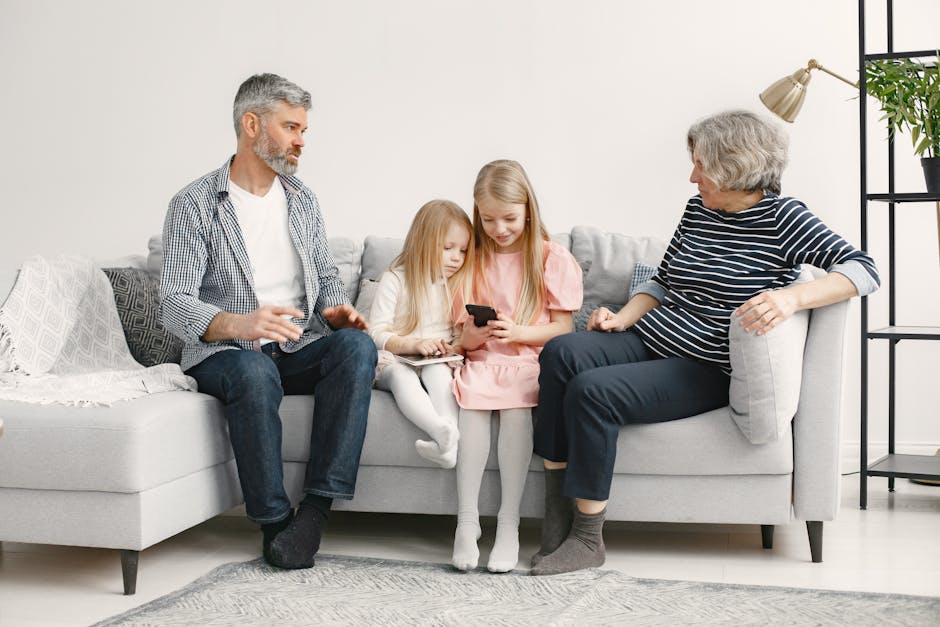
You might spend an hour configuring Apple Content & Privacy Restrictions on your child’s iPad, only to find they spent the entire weekend at their grandparents' house binge-watching unrestricted YouTube on a living room smart TV. This scenario is a frequent pain point for the Screenwise community. When the "physics of rules" changes as soon as the observer changes, children experience a form of behavioral whiplash that makes reintegration at home significantly harder.
Consistency is the primary requirement for kids to adapt to digital boundaries. When a babysitter or relative allows a free-for-all, it undermines the intentional choices you’ve made about developmentally positive content. You aren't just fighting about minutes; you are fighting the erosion of the framework you built to protect their focus and mental well-being.
The friction often feels like micromanagement. No one wants to hand a child to a grandparent and then deliver a fifteen-minute lecture on algorithmic safety. It creates a dynamic where you feel like the "tech police" and the caregiver feels judged or incompetent. This social tension often leads parents to stay silent, even when they know the screen habits at the other house are causing issues.
Why traditional screen time rules collapse at the Screenwise level
The failure of rules in secondary environments is rarely due to a lack of respect. Instead, it is usually a mismatch between your expectations and the caregiver's technical or cultural capacity. In our analysis of family data, we see three distinct drivers that cause these digital safety nets to fail once a child leaves your front door.
Technical complexity and the friction of enforcement
Grandparents or occasional sitters often do not know how to navigate device-specific parental controls. If an app timer goes off and the child starts crying, a caregiver who doesn't understand the Apple Screen Time passcode interface is likely to simply hand over their own unlocked phone or turn on the television to stop the conflict.
The friction of enforcing a rule must be lower than the friction of ignoring it. If your rules require a babysitter to manually check a list or input codes every twenty minutes, those rules will be abandoned the moment you are out of sight. Most caregivers prioritize immediate peace and safety over long-term digital hygiene.
The generational media gap
Different caregivers view screens through vastly different lenses. Many grandparents grew up in an era where "watching TV" was the standard, safe way to keep a child occupied while adults handled chores. They may not recognize that a modern tablet is not a television.
A 2025 Pew Research study found that a majority of parents feel their current approach to screen time management is a struggle, often because older generations see tablets as harmless distractions rather than gateways to interactive, high-arousal algorithms. To them, a child sitting quietly with a screen is a "well-behaved" child, making them less likely to intervene unless the content is explicitly violent.
Unclear rule translation
Vague instructions are the enemy of consistency. Saying "don't let them watch too much TV" provides no actionable data for a babysitter. Without concrete limits, a caregiver’s definition of "too much" will naturally skew toward whatever is most convenient for them in the moment.
Building a shared digital wellness framework with Screenwise tools
To fix the disconnect, you have to stop relying on people to enforce rules and start relying on the systems. If you automate the boundaries, the caregiver doesn't have to be the "bad guy." Use the following sequence to stabilize the digital environment across different homes.
| Vague Instruction | Concrete Shared Rule |
|---|---|
| "Don't let them stay on the iPad all day." | "The iPad will automatically lock at 4:00 PM. Please don't bypass the code." |
| "Make sure they watch good shows." | "Only use the Screenwise-approved list on the Netflix Kids profile." |
| "Keep an eye on what they are doing." | "Screens stay in the living room; no devices in the bedroom." |
| "Limit their gaming time." | "They have 30 minutes of Roblox total. The system tracks this automatically." |
Automate the device limits first
Before handing the device over, use built-in tools like Family Sharing to manage downloads and access. You can set up Communication Limits to ensure the child only interacts with known contacts, regardless of which WiFi network they are on. This is especially helpful for babysitters who may not know which of your child's "online friends" are actually approved.
Enable Screen Distance to help reduce eye strain automatically. These features are part of the Apple Support documentation for parental controls and are highly effective because they don't require the caregiver to push a single button. When the screen tells the child to move back, the device is the authority, not the grandmother.
Implement hardware-level defaults
For co-parents or relatives who provide frequent care, you should consider setting up network-level filters. This bypasses the need for subscription apps on every single tablet or phone. By configuring the router to block adult content at the source, you ensure a baseline of safety even if the child borrows the caregiver's laptop. You can find specific steps on how to filter every home network device without subscription apps to simplify this process.
Have the non-judgmental conversation
The way you frame the rules determines whether the caregiver follows them. Avoid implying that your rules are "better" or more "modern." Instead, frame it as a specific need for your child’s temperament. Use phrases like, "We’ve noticed that Leo has a really hard time sleeping if he’s on YouTube after 6:00 PM, so we’re trying to keep that off-limits."
Guidance from Common Sense Media suggests approaching caregivers as partners. Acknowledge the help they are providing. If they are giving you free childcare, a "thank you" goes a lot further than a list of demands. Explain that these boundaries are about your child's digital well-being, not a critique of the caregiver's lifestyle.
Ask for baseline compromises
If a grandparent refuses to use the technical filters, move to physical boundaries. It is often easier for an older adult to enforce a "no screens at the dinner table" rule than it is for them to monitor content on a smartphone.
Agree on one or two "hard" boundaries:
- All devices go in a designated basket one hour before bed.
- No screens during mealtimes.
- Handheld devices are only used in common areas, never behind closed doors.
Identifying when caregiver resistance becomes a safety risk
While most issues are a matter of lifestyle differences, some behaviors are red flags that require a more serious intervention. In our work with intentional parents, we’ve identified specific situations where compromise is no longer an option.
- Intentional bypassing: A co-parent or relative intentionally wipes a device or uses a "ghost" account to remove the filters you’ve set.
- Exposure to restricted content: A caregiver allowing a child to view R-rated or mature content despite clearly established age boundaries.
- Unmonitored communication: Allowing the child to use Discord or proximity chat in games with strangers when you have specifically disabled those features.
- Using screens as a bribe: When a caregiver tells a child, "Don't tell Mom I let you play this," it creates a culture of secrecy that is dangerous for long-term digital safety.
If these red flags appear, the technical solution isn't enough. You may need to limit the child's access to devices entirely when they are in that environment or send them with an "offline" kit of books and physical games instead.

Proactive steps for maintaining Screenwise standards during extended stays
For longer stays, like a week at a relative's house or a vacation with a co-parent, your preparation needs to be more robust. The goal is to make the "right" choice the easiest choice for both the child and the caregiver.
Start by setting up individual profiles on any shared gaming consoles. This ensures that when the child logs in, they are automatically restricted to age-appropriate titles. Our Shared Console Survival Guide explains how to lock these profiles so that a child cannot accidentally wander into an older sibling's or adult's library.
Perform a routine audit of any "hand-me-down" devices before a trip. Relatives often give children their old phones or tablets without realizing the browsing history or logged-in accounts are still active. If you are preparing a device for this purpose, follow our guide on wiping your old phone before handing it down to ensure no legacy data or unrestricted access remains.
Finally, keep a frequent check-in schedule. Ask the caregiver what is working. If they say the child is constantly begging for more time, it might be an indication that the current technical limits are too strict for that specific environment, or that the child needs more curated, developmentally positive activities to fill the void.
You cannot control every second your child spends with other caregivers, but you can control the systems they use. By automating the tech and simplifying the conversation, you move from being a micromanager to being a strategist. This allows the focus to stay where it should be: on the relationship between your child and the people who care for them.
Take the free 5-minute Screenwise survey at screenwiseapp.com to generate a personalized list of media recommendations. You can share these directly with your child's babysitter or grandparents to ensure the content they choose is always expert-rated and age-appropriate.